

Geofenced check-in
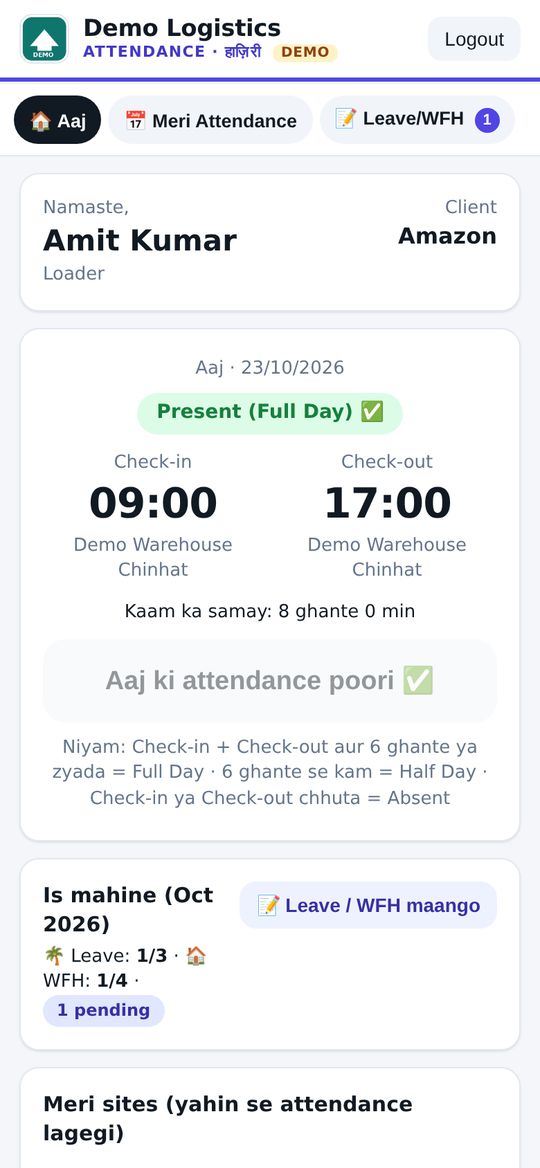
Site ke radius (jaise 200 m) ke andar hi attendance lagegi. Bahar se try kiya to doori dikhegi aur check-in nahi hoga.
Made in Lucknow · Made for India 🇮🇳
Employee sirf apni site ke geofence ke andar live selfie lekar check-in / check-out kar sakta hai. Full Day, Half Day, Absent apne aap. Leave, WFH, approvals aur monthly Excel, sab ek jagah.
Geofenced live-selfie attendance for warehouse, delivery, field and office teams. No machine, no app store. Works on any phone.
Features
Everything you need to run attendance for field, warehouse and office teams.
Site ke radius (jaise 200 m) ke andar hi attendance lagegi. Bahar se try kiya to doori dikhegi aur check-in nahi hoga.
Sirf front camera se live photo. Har check-in / check-out ki photo, time aur GPS location save hoti hai.
Warehouse, client hub, office. Google Maps link, Plus Code ya coordinates paste karo, radius set karo. Ek employee ko kai sites.
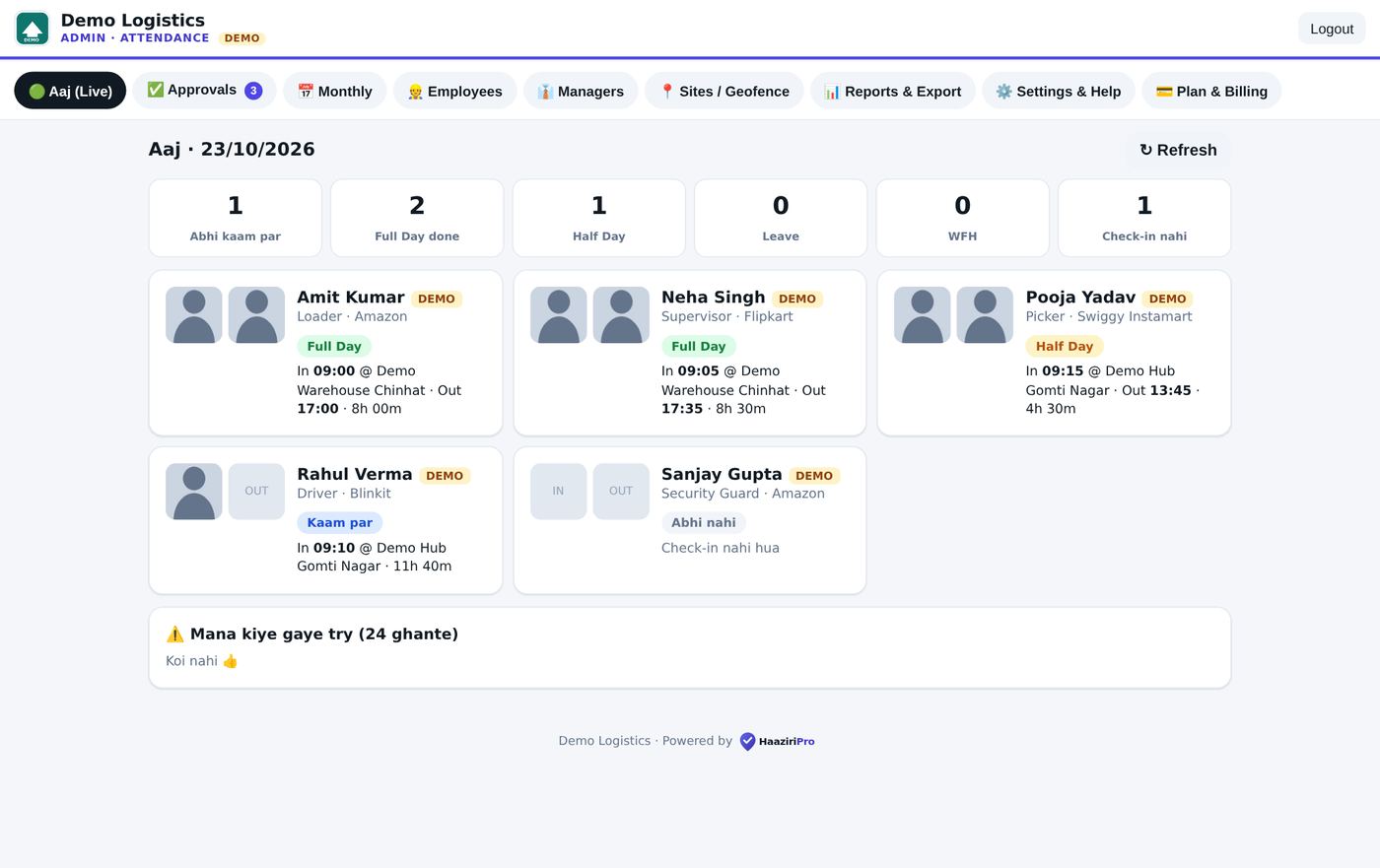
Shift ke ghante aap set karo (jaise 6 ghante). Status apne aap banta hai, koi manual entry nahi.
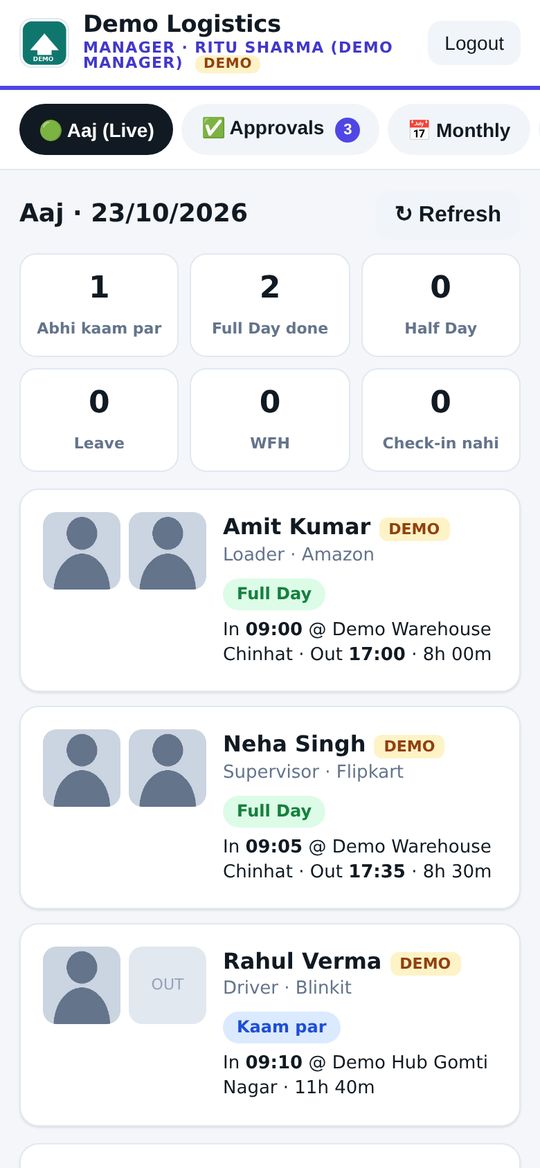
Manager phone + PIN se login karta hai aur sirf apne employees dekhta hai: aaj ka live status, approvals, monthly report.
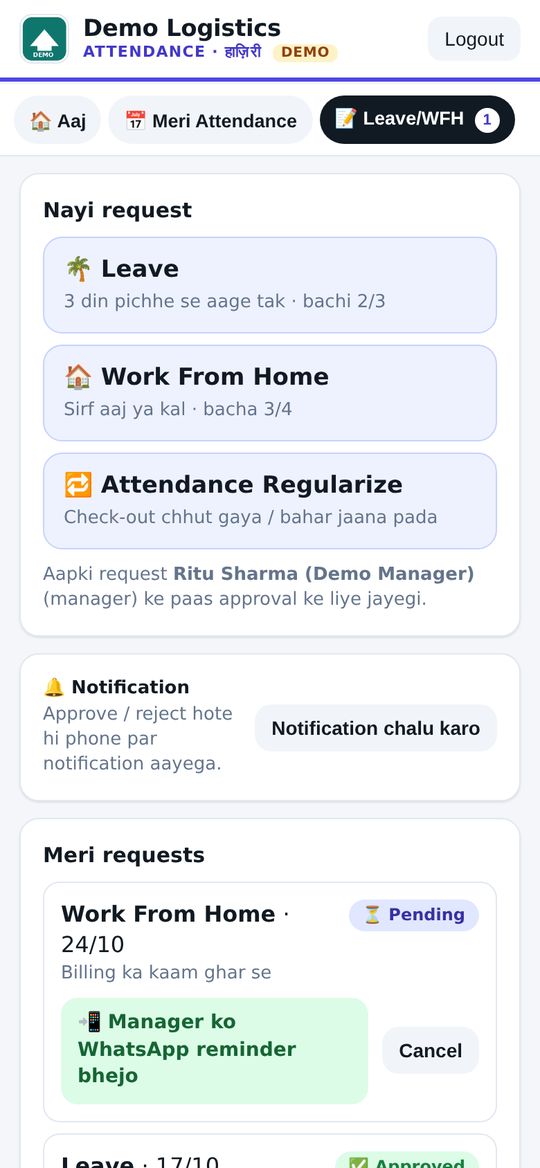
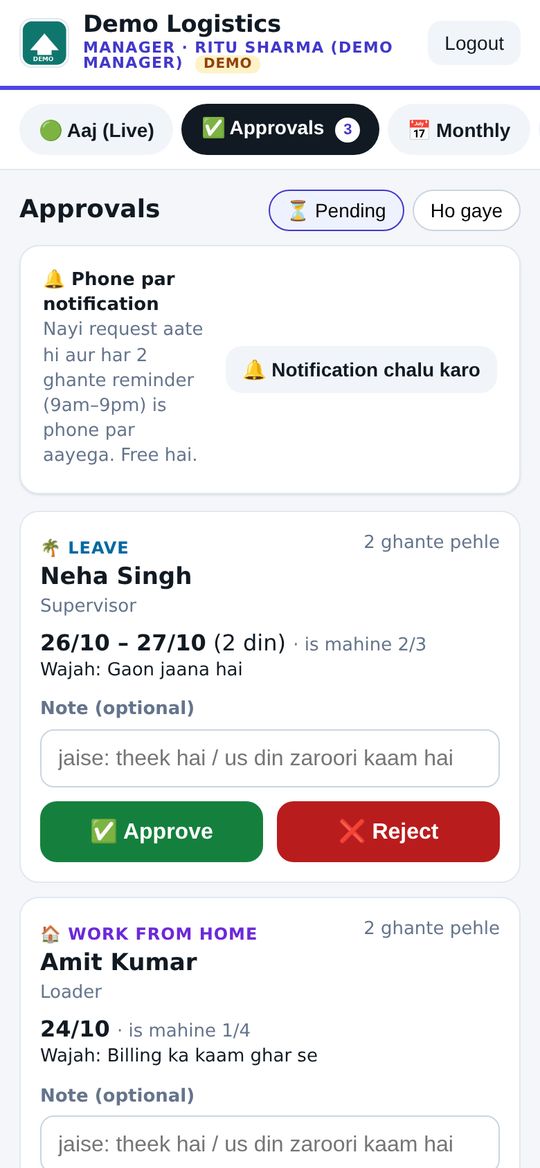
Employee app se request, manager / admin approve karein. Monthly limits aur photo ke saath regularization.
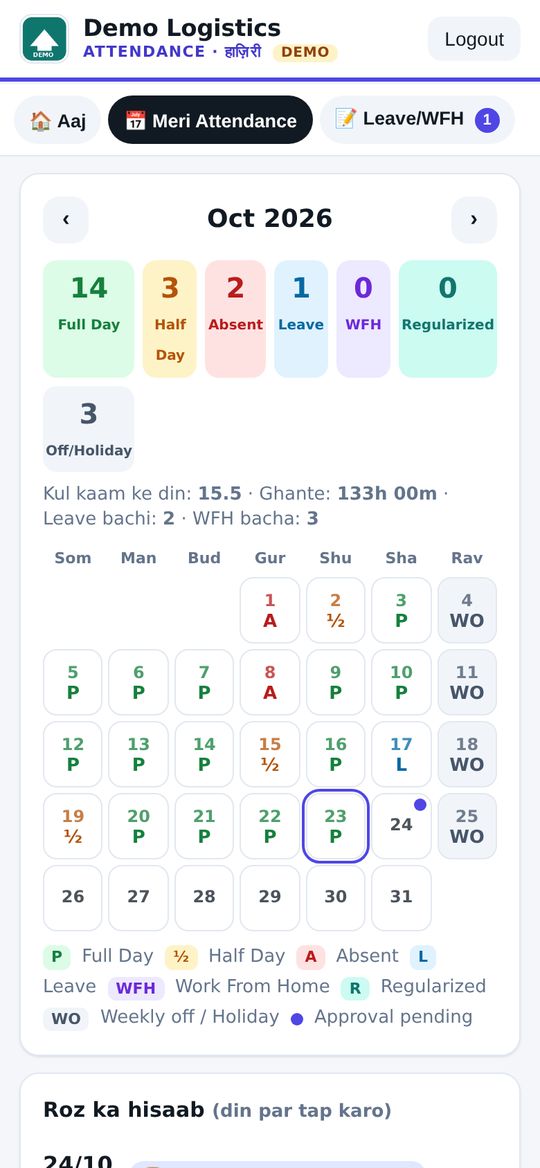
Har employee apna poora mahina dekhe: P, Half, Absent, Leave, WFH, Off, ek rang-birangi calendar mein.
Sunday ya chhutti ke din Absent nahi ginega. Weekly off days aur holiday list har company apni banaye.
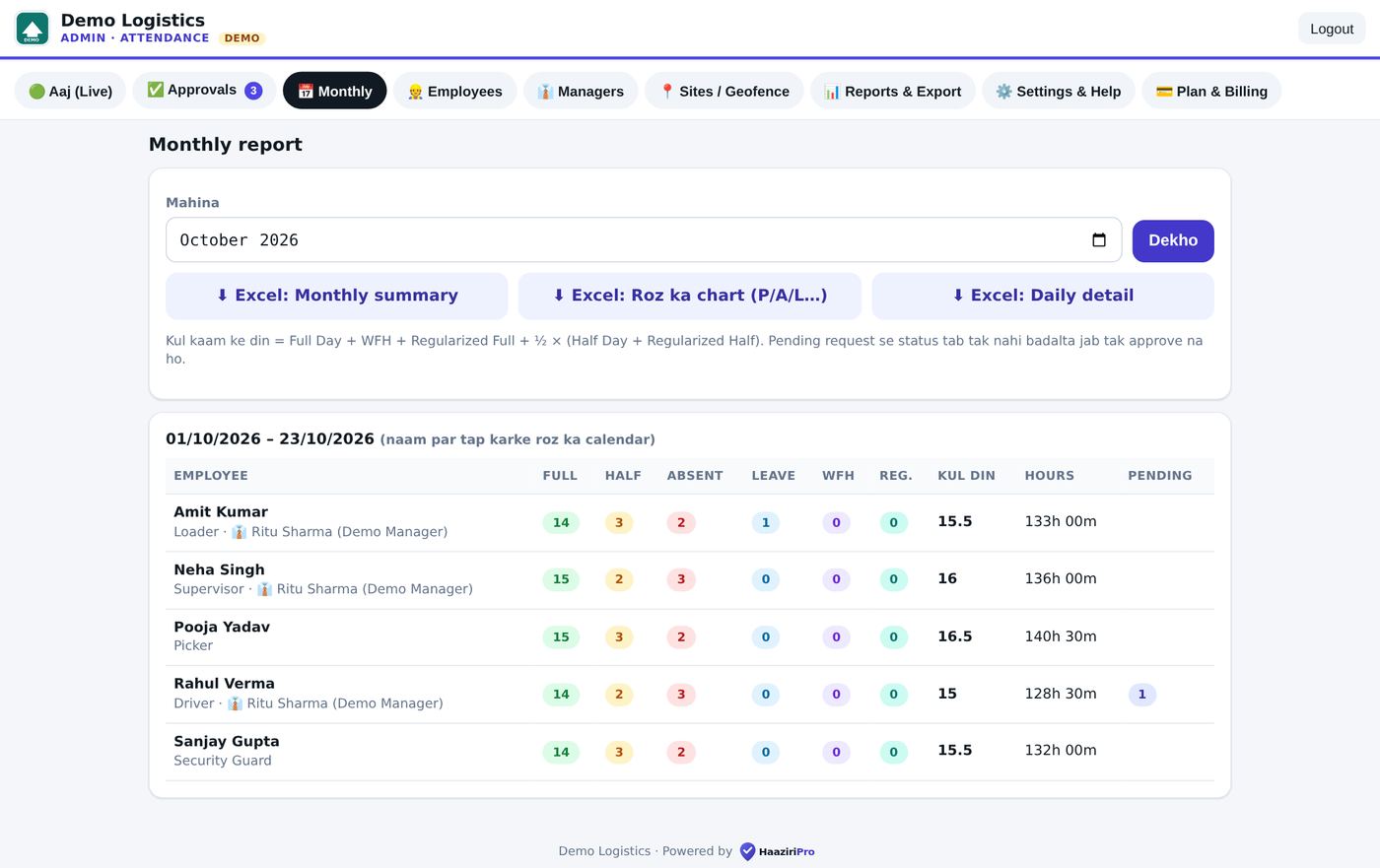
Employee-wise P / Half / A / Leave / WFH summary, roz ka grid, client-wise report. Ek click mein download.
Request aate hi manager ke phone par notification, reminder bhi. Saath mein WhatsApp button. Koi SMS kharcha nahi.
Har company ka alag link, alag data, apna naam aur logo. Ek company dusri ka kuch nahi dekh sakti.
Link kholo, "Add to Home Screen" karo. Android aur iPhone dono par app jaisa chalta hai.
Kaise kaam karta hai
Up and running in minutes, not weeks.
Company ka naam aur mobile number. Aapko apna company code aur link turant milta hai.
Map link ya Plus Code se site pin karo. Employees aur managers ko phone + PIN do.
Employee link kholkar site ke andar selfie se check-in kare. Aap dashboard par live dekho, mahine ke end mein Excel lo.
App dekho
Real screenshots from the demo company "Demo Logistics".
Pricing
Har plan mein saare features. 14 din free trial ke baad plan chuno.
Chhoti team ke liye · 25 employees tak
Badhti company · 100 employees tak
100+ employees · priority support
GST alag. UPI se payment. Bada order ya custom plan? WhatsApp karo.
Live demo
"Demo Logistics" ek sample company hai, fake employees ke saath. Try it with sample data.
Free trial
Form bharo. Hum aapko onboarding link bhejenge: company details aur documents, phir 14 din free trial ya plan. Card nahi chahiye.
Sawaal? WhatsApp: +91 78977 79681
Pehle se account hai?
Sirf apna mobile number ya email daalo. Employee, Manager, Admin ya Owner, hum khud pehchaan lenge. Fingerprint se bhi login.
Ya company code se:

About · Founder
📍 Lucknow, Uttar Pradesh
HaaziriPro ka maqsad simple hai: field, warehouse aur office teams ki haaziri bina kisi machine ke, seedha phone se, sahi aur imaandari se. Employee site par pahunch kar selfie se check-in kare, aur owner ko sab kuch live dikhe.
I'm the founder of HaaziriPro, a simple, honest attendance app built in Lucknow for Indian businesses.
FAQ
Nahi. Company ka link phone ke browser mein kholo aur "Add to Home Screen" kar lo. Android aur iPhone dono par app ki tarah chalta hai. No app store needed.
Nahi. Check-in sirf site ke geofence (radius) ke andar se hota hai, aur photo sirf live front camera se li jaati hai, gallery se nahi. Har punch ke saath time, GPS aur selfie save hoti hai.
Admin panel mein "Nayi Site" par jaake Google Maps link, Plus Code ya latitude/longitude paste karo aur radius set karo. Ek company mein kai sites ho sakti hain.
Nahi. Weekly off days (jaise Sunday) aur holiday list aap Settings mein set karte ho. Un dino Absent nahi ginta. Agar koi off day par kaam kare to wo bhi count hota hai.
Employee app se Leave, WFH ya Regularize (photo ke saath) request bhejta hai. Manager ya admin approve karte hain, tab attendance update hoti hai. Monthly limits aap set kar sakte ho.
Admin panel mein Monthly aur Reports section se employee-wise summary aur roz ka grid Excel / CSV mein download karo.
Har company ka data alag rakha jaata hai. Ek company dusri company ka data nahi dekh sakti. Selfies private hain, PIN aur password encrypted store hote hain.
14 din ke baad plan chuno aur UPI se pay karo. Plan khatam hone par admin ko renew ka message dikhta hai; aapka data delete nahi hota. Koi sawaal ho to WhatsApp karo.
All links